
Voter file management software for local political campaigns organizes a jurisdiction's official voter roll — names, addresses, party registration where applicable, and vote history — into contact universes that staff and volunteers can canvass, call, and text before Election Day. Local races run on tighter budgets and smaller lists than federal campaigns, so the software choice usually comes down to a free state file plus manual segmentation versus a paid, modeled vendor. That choice is separate from how a campaign manages its donors, and mixing the two up wastes money fast.
- Voter file management software for political campaigns organizes voter contact data for canvassing and GOTV — it is not a donor tool.
- Most local campaigns in 2026 start with a free or low-cost state or county voter file before paying for a modeled vendor like L2 Political or i360.
- NGP VAN’s VoteBuilder remains the standard access point for Democratic and many nonpartisan local campaigns.
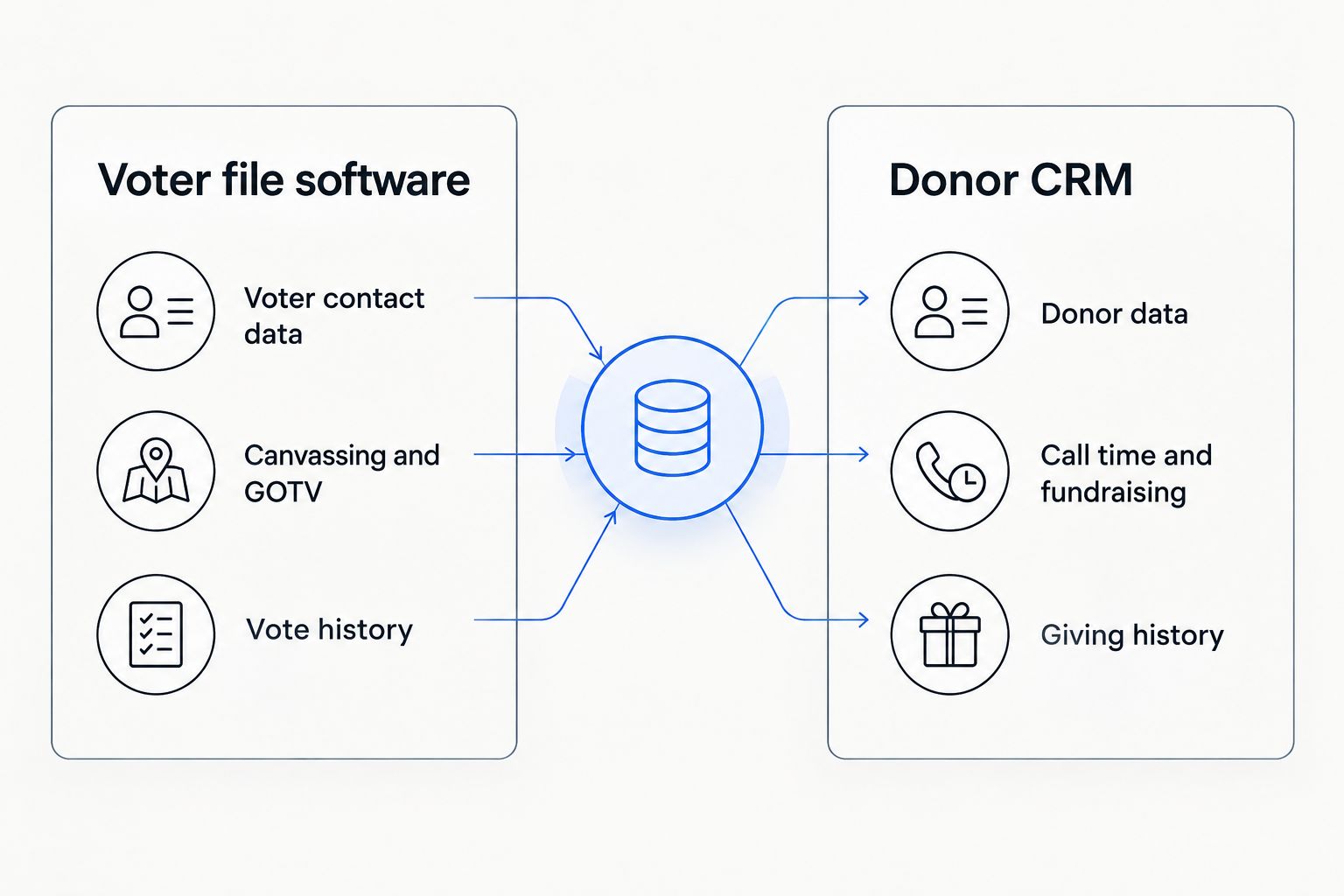
- Donor-prospect segments pulled from a voter file still need a separate CRM like Campaign Deputy for call time, email, and texting.
- Skipping the sync between voter file segments and a donor CRM causes duplicate outreach and wasted volunteer hours.
Why this matters for local political campaigns
City council, school board, county commissioner, and mayoral races all share the same constraint: a handful of paid staff, a volunteer-heavy call time and canvass operation, and a compliance deadline that doesn't care how small the budget is. A voter file tells a local campaign who is registered, where they live, and how often they vote — the raw material for turnout targeting. It does not tell a campaign who is likely to write a check.
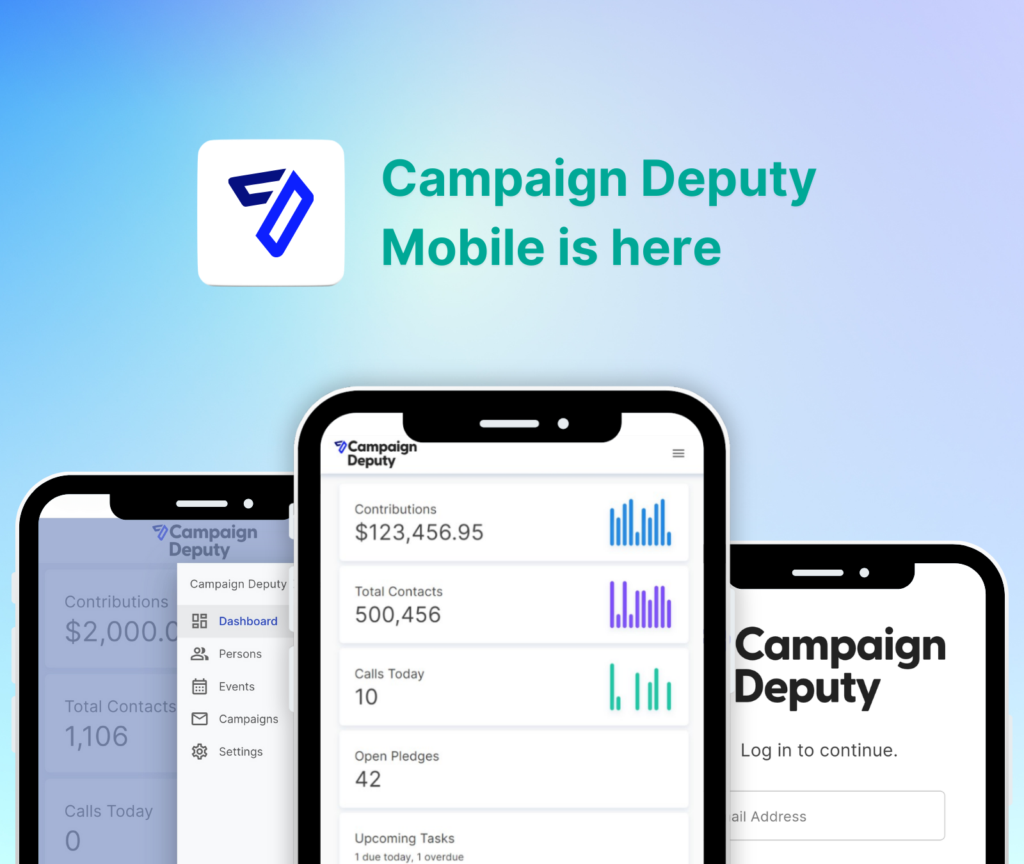
That second question is a donor CRM's job, and Campaign Deputy is built around it: call time management, email, texting, web forms, and campaign finance reporting for candidates and nonprofit campaigns. Local campaigns that treat voter file software and donor management as the same purchase end up overpaying for one and under-resourcing the other.
Voter file management software organizes voter contact data for turnout — donor CRM software organizes fundraising data for revenue. A local campaign in 2026 needs both, but rarely from the same vendor.
Building a voter file workflow for a local race
Get access to the official voter file first
Before paying for any vendor layer, confirm what the state or county already provides.
- Contact the Secretary of State or county election office for the base voter file — many states provide it free or for a nominal fee to registered candidates
- Check whether your state party administers access through NGP VAN's VoteBuilder, which is standard for Democratic and many nonpartisan local campaigns
- Confirm the file's refresh schedule — some counties update monthly, others only ahead of registration deadlines
- Ask what fields are included (party registration, vote history, absentee status) since local files vary by state
- Verify use restrictions — several states limit voter file use to campaign and political purposes only, with real penalties for misuse
Choose an enhanced data vendor only if the race size justifies it
Raw voter files rarely include modeled scores like partisan lean or turnout propensity. That modeling comes from a paid vendor layer, and for most school board or single-district city council races, it isn't worth the spend.
- L2 Political sells national voter file data with modeling add-ons, common for state legislature and county-wide races
- i360 offers predictive scoring aimed at larger local and state races with bigger canvass universes
- PDI and VoteBuilder bundle voter file access with volunteer and event tools inside party-administered accounts
- For a single ward or school board seat, a clean base file plus manual segmentation usually beats a modeled subscription
- Ask any vendor for a sample export before committing — file formats vary and some require additional software to open
Clean the file before you load it anywhere
A voter file straight from the county rarely matches how a campaign wants to use it.
- Standardize street addresses so canvass turf-cutting software doesn't split households incorrectly
- Remove or flag deceased voters and duplicate registrations
- Match against the national Do Not Call registry before any phone program starts
- Strip PO boxes from door-knock lists — they're useless for canvassing
- Tag multi-unit addresses so canvassers know to expect more than one door per stop
Segment the file into contact universes
One list is never the right list. Break the file into the groups each program actually needs.
- Base voters — high propensity, low persuasion need, prioritized for GOTV reminders
- Persuasion targets — mid-propensity voters worth a mail or door touch
- Volunteer prospects — past campaign volunteers or donors flagged in prior cycles
- Donor prospects — voters with a history of political giving, pulled for the fundraising team, not the canvass team
- Absentee or early-vote requesters, tracked separately for ballot chase programs
Hand donor-prospect segments to the fundraising team, not the field team
This is the step where most local campaigns lose money. A voter file can surface names with a giving history, but calling them for a donation is a fundraising CRM's job.
- Export the donor-prospect segment as a clean CSV with name, address, and any available giving history
- Load it into a dedicated donor CRM rather than a shared campaign spreadsheet
- Build fundraising CRM for city council candidates call sheets from that segment instead of cold-calling the entire voter file
- Keep the donor list separate from the volunteer and GOTV lists to avoid duplicate contact
- Track every call outcome in the CRM, not on paper, so the next call time shift doesn't repeat the same ask
Keep the voter file and the donor CRM in sync
A voter file update mid-cycle (new registrations, address changes) should feed back into whichever contact universes reference it.
- Re-export segments after each voter file refresh instead of working off a stale download
- Cross-check new donor entries against the voter file to confirm district residency for eligibility questions
- Remove opted-out contacts from every list, not just the one where they unsubscribed
- Assign one staffer to own the sync so it doesn't fall through the cracks between the field and finance teams
Track compliance separately for voter contact and donor solicitation
Voter contact and donor fundraising sit under different rules even inside the same campaign.
- Voter file use restrictions are set by the state or county that issued the file
- Texting voters and texting donors both fall under TCPA consent rules, but donor solicitation also triggers campaign finance disclosure
- Every contribution the donor-prospect list produces still has to show up on the campaign's finance report, tracked against the filing deadlines for your state
Voter file options for local campaigns compared
| Option | Best for | Access model | Key limitation | Verdict |
|---|---|---|---|---|
| State or county voter file | First-time and budget-limited local candidates | Free or low-cost through the election office | Raw data only, no modeling, needs manual cleanup | Start here |
| NGP VAN / VoteBuilder | Democratic and nonpartisan local campaigns tied to state party infrastructure | State party administered | Shared access, learning curve for new staff | Buy |
| L2 Political | County-wide or state legislature races needing demographic modeling | Vendor subscription | Cost scales with district size, still needs a separate donor CRM | Hold for bigger races |
| i360 | Larger local races with bigger canvass and paid media budgets | Vendor subscription | Overbuilt for single-ward or school board campaigns | Skip for small races |
Run donor calls off a real CRM
Move donor-prospect segments out of spreadsheets into call time, email, and texting built for candidates.
Common mistakes local campaigns make with voter files
- Buying modeled data before defining the universe. A school board race with 8,000 registered voters rarely needs a predictive scoring layer built for statewide contests.
- Treating every voter file record as a donor prospect. Solicitation without consent or context burns relationships and invites compliance headaches.
- Running the voter file and the donor list off the same spreadsheet. Duplicate contact from two uncoordinated teams looks disorganized to the exact voters and donors a local campaign needs most.
- Letting the file go stale before petition or ballot access deadlines. Address changes and new registrations after the initial download can invalidate signature counts.
- Assuming one system can do canvassing and fundraising equally well. Voter file platforms are not built for call time quotas, donation forms, or FEC-style disclosure — donor CRM software is.
FAQ
What is voter file management software?
Voter file management software organizes a state or county’s official voter roll — names, addresses, party registration, and vote history — into segments campaigns use for canvassing, phone banking, and get-out-the-vote outreach.
Is voter file software the same as a donor CRM?
No. Voter file software manages voter contact data for turnout programs, while a donor CRM like Campaign Deputy manages fundraising data for call time, email, texting, and compliance reporting.
How do local campaigns get access to a voter file in 2026?
Most local candidates request the file directly from their state Secretary of State or county election office, or through party-administered access like NGP VAN’s VoteBuilder where available.
What’s the difference between NGP VAN and L2 Political?
NGP VAN’s VoteBuilder is typically accessed through state party infrastructure and bundles voter file data with volunteer and event tools. L2 Political sells national voter file data directly to campaigns, often with modeling add-ons for larger races.
Can voter file data be used for fundraising calls?
Voter file records can identify donor prospects based on giving history, but the actual fundraising outreach — call time, email, and texting — should run through a dedicated donor CRM, not the voter file tool itself.
Do school board and city council campaigns need voter file software?
Most local campaigns need at minimum the free state or county voter file for canvassing; a paid modeled vendor is usually unnecessary unless the district is large or competitive.
Do local campaigns need both a voter file tool and a fundraising CRM?
Yes. The voter file drives turnout programs while a donor CRM drives fundraising operations, and combining the two into one spreadsheet creates duplicate outreach and compliance risk.
How much voter file data does a first-time candidate actually need?
A first-time local candidate typically needs the base file for their district plus vote history — enough to build canvass and call universes without paying for statewide modeling built for bigger races.
One last thing
Most local campaigns overspend on the voter file side and underspend on the donor side. The winning move for a 2026 city council or school board race is usually the cheapest voter file available plus a real donor CRM for the donor-prospect segment it produces — not the reverse. Campaign Deputy manages the donor relationships that voter file software was never built to handle.
Related guides
- Best donor management software for political campaigns
- How to segment a donor list for a political campaign
- Best fundraising platform for first-time political candidates